> For the complete documentation index, see [llms.txt](https://docs.pearlswap.ai/llms.txt). Markdown versions of documentation pages are available by appending `.md` to page URLs; this page is available as [Markdown](https://docs.pearlswap.ai/use-it/swapping.md).
# Swapping into PRL
Pay with what you already hold, and native PRL arrives at your own Pearl address.
One screen, one payment, no account. You pay with an asset you already hold; native PRL arrives at your Pearl address.
What you will get is worked out before you commit to anything.
### Before you start
You need **a Pearl address of your own**, from a Pearl wallet. It starts with `prl1p`.
{% hint style="warning" %}
We never make a Pearl address for you and never ask for your recovery words. Only Pearl's own wallets can make an address correctly, and only you should hold its keys.
{% endhint %}
### Step by step
{% stepper %}
{% step %}
#### Pick what you are paying with
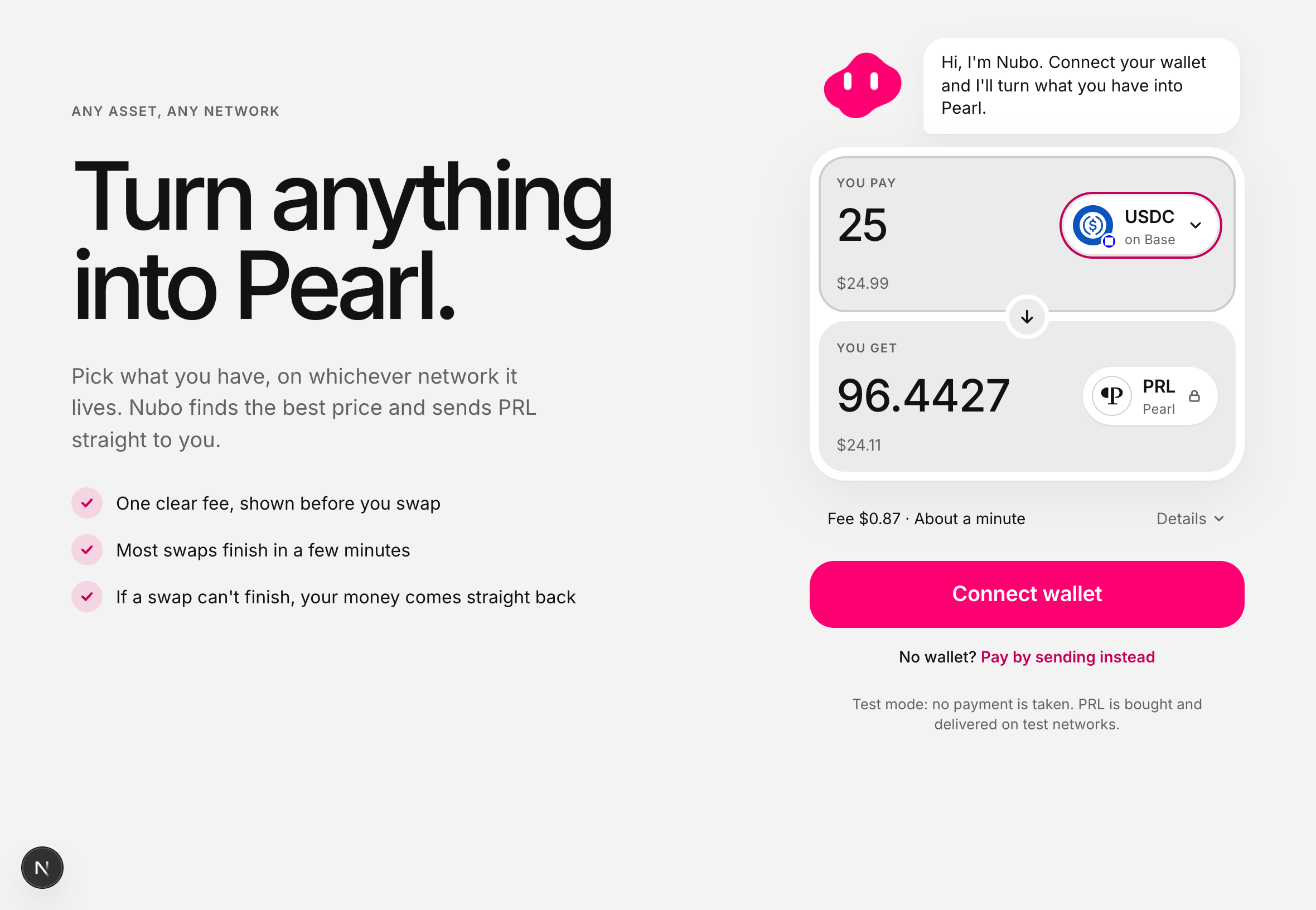
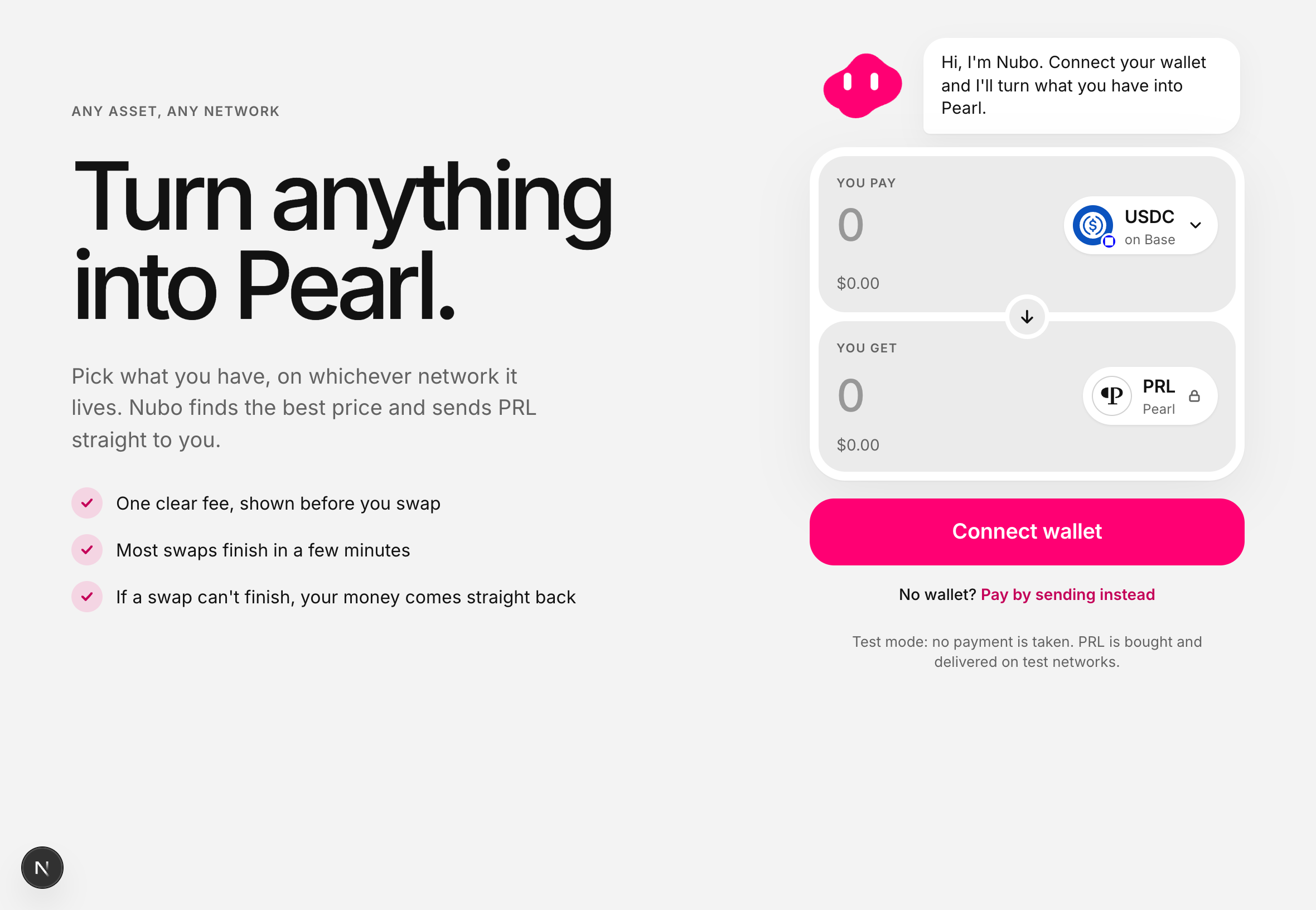
Choose the asset and the network you hold it on, and type an amount. The screen prices it as you type.
Anything on any supported network can go in the top half.
{% endstep %}
{% step %}
#### Check the figure
**You get** is what arrives, after everything. The line underneath shows the fee and roughly how long it takes. **Details** breaks it down if you want it.
{% endstep %}
{% step %}
#### Give your Pearl address
This is where the PRL lands. Paste it from your wallet rather than typing it.
{% endstep %}
{% step %}
#### Pay
Either connect a wallet and approve one payment, or choose **Pay by sending instead** and send the exact amount shown to the address on screen.
{% endstep %}
{% step %}
#### Close the page if you like
The swap keeps going without you, and the progress is there when you come back.
{% endstep %}
{% endstepper %}
### If it cannot finish
Nothing is kept. If the price moves too far, the amount is outside the limits, or a network stops answering for too long, your money goes back automatically. There is nobody to email and nothing to claim.
### What we hold, and for how long
While the swap runs we hold what you paid for the seconds or minutes it takes to buy your PRL and hand it to the guardians. That is the one moment your money is in our hands, the total we can hold at once is capped, and the screen says so before you pay. The PRL reserve itself is not ours: it sits with [the guardians](/how-it-works/guardians.md).
---
# Agent Instructions
This documentation is published with GitBook. GitBook is the documentation platform designed so that both humans and AI agents can read, navigate, and reason over technical content effectively. Learn more at gitbook.com.
## Querying This Documentation
If you need additional information that is not directly available in this page, you can query the documentation dynamically by asking a question.
Perform an HTTP GET request on the current page URL with the `ask` query parameter, and the optional `goal` query parameter:
```
GET https://docs.pearlswap.ai/use-it/swapping.md?ask=&goal=
```
`ask` is the immediate question: it should be specific, self-contained, and written in natural language.
`goal` is optional and describes the broader end goal you are ultimately trying to accomplish on behalf of the user. GitBook uses it to tailor the answer towards what is most useful for that goal.
The response will contain a direct answer to the question and relevant excerpts and sources from the documentation.
Use this mechanism when the answer is not explicitly present in the current page, you need clarification or additional context, or you want to retrieve related documentation sections.