> For the complete documentation index, see [llms.txt](https://docs.pearlswap.ai/llms.txt). Markdown versions of documentation pages are available by appending `.md` to page URLs; this page is available as [Markdown](https://docs.pearlswap.ai/use-it/moving-prl.md).

# Moving PRL to Hyperliquid and back

Take PRL from your Pearl wallet to Hyperliquid to trade it, or bring it home again.

One PRL in, one PRL out, less the stated fee. The **Move PRL** screen goes both ways.

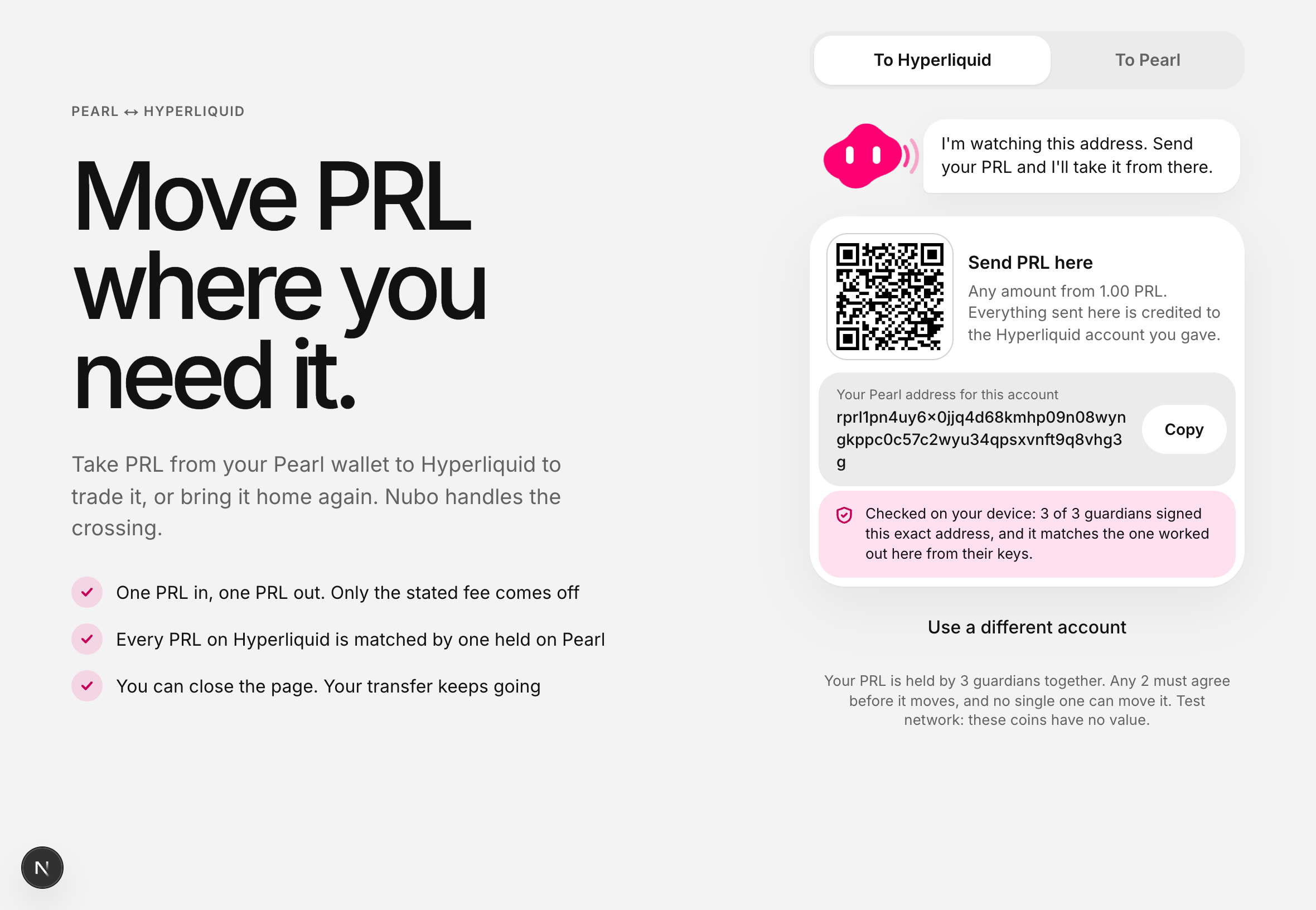
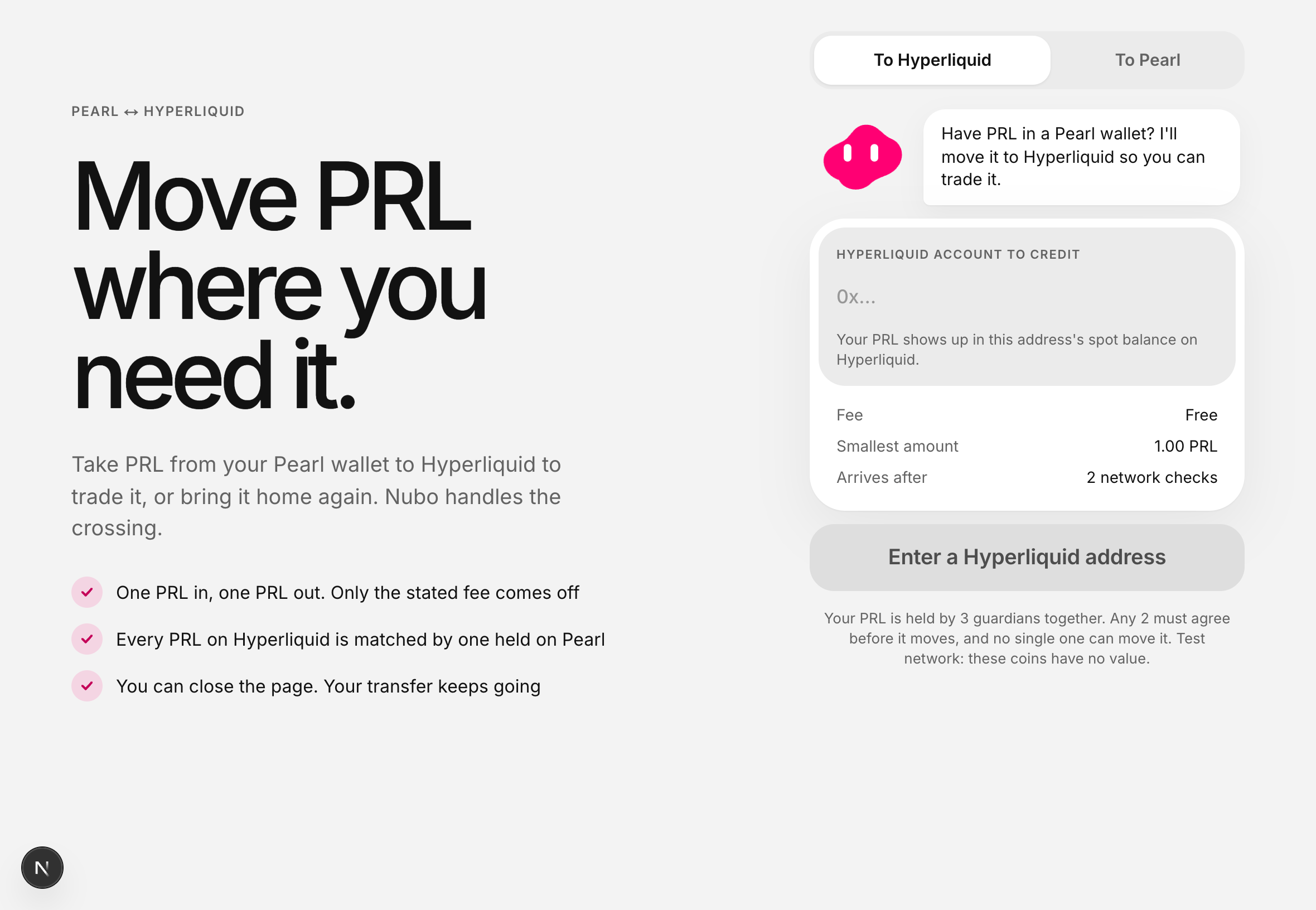
<figure><img src="https://215240236-files.gitbook.io/~/files/v0/b/gitbook-x-prod.appspot.com/o/spaces%2FwlmadLPdVKbSiMNzGovG%2Fuploads%2Fgit-blob-e49896ecaf3ab262d8c4dfefa743655032a4828b%2Fmove-start.png?alt=media" alt="The Move PRL screen, with tabs for To Hyperliquid and To Pearl"><figcaption><p>Both directions live on one screen.</p></figcaption></figure>

## To Hyperliquid

Use this when you want to trade PRL against USDC on Hyperliquid's order book.

{% stepper %}
{% step %}

#### Say which Hyperliquid account to credit

The screen works out a Pearl address that belongs to that account and to nothing else.

{% hint style="info" %}
A Hyperliquid account has to have been used at least once before it can receive anything. If yours is brand new, put any small amount into it on Hyperliquid first.
{% endhint %}
{% endstep %}

{% step %}

#### Check the badge under the address

It should say the guardians signed this exact address and that your browser worked out the same one, on your device, from keys built into the page.

<figure><img src="https://215240236-files.gitbook.io/~/files/v0/b/gitbook-x-prod.appspot.com/o/spaces%2FwlmadLPdVKbSiMNzGovG%2Fuploads%2Fgit-blob-05800e6ee2f9099d83fa88c7f5990a8e8245445d%2Fmove-address.png?alt=media" alt="A deposit address with a QR code, and a pink badge reading: checked on your device, 3 of 3 guardians signed this exact address"><figcaption><p>No badge, no address. If the check does not pass, nothing is shown.</p></figcaption></figure>

{% hint style="danger" %}
Never send PRL to an address you were given anywhere else — a message, an email, a screenshot — however convincing. The badge is the only thing that makes an address yours.
{% endhint %}
{% endstep %}

{% step %}

#### Send PRL to it

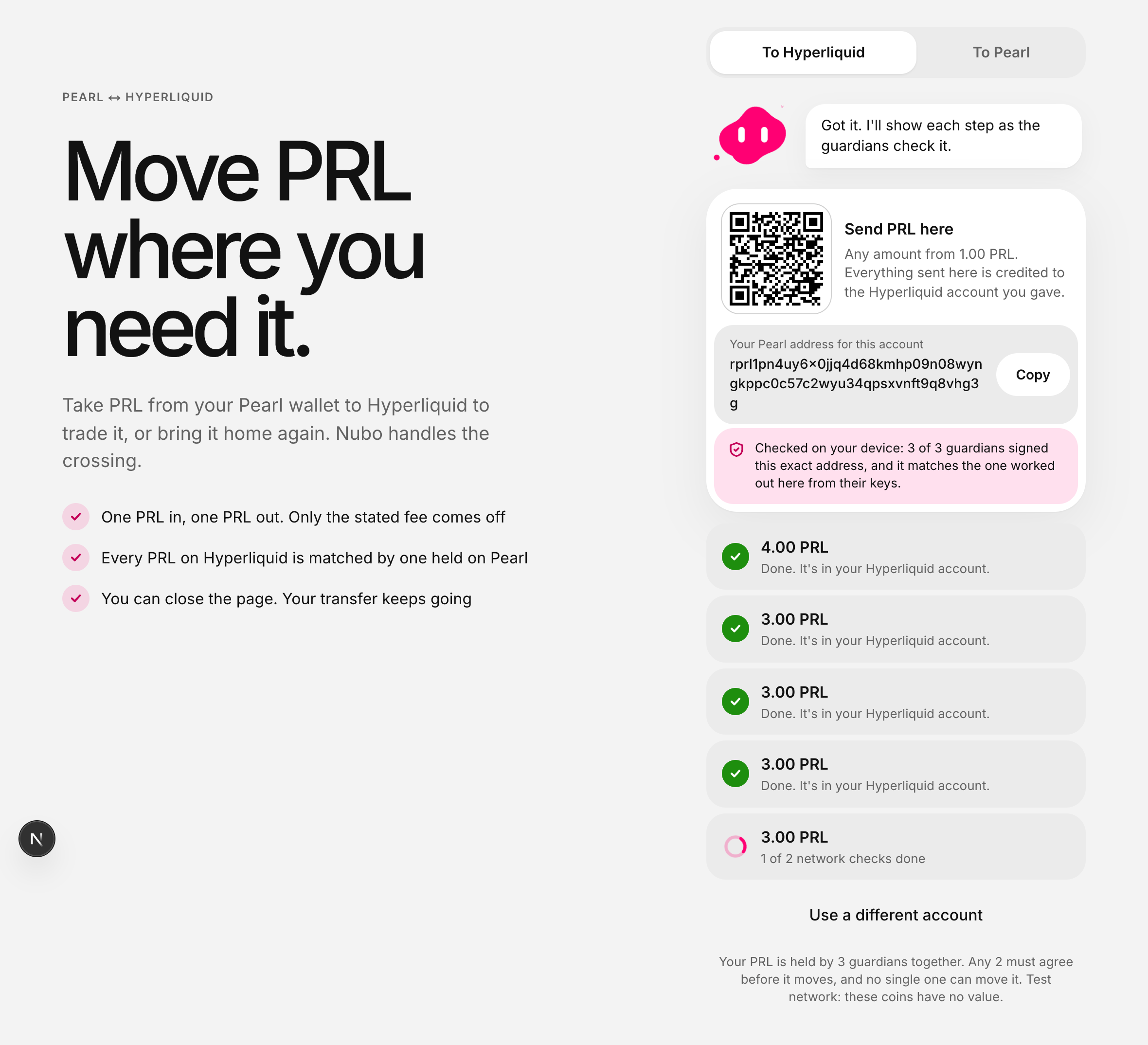
From any Pearl wallet, any amount above the minimum. The address keeps working, so you can use it again later.

<figure><img src="https://215240236-files.gitbook.io/~/files/v0/b/gitbook-x-prod.appspot.com/o/spaces%2FwlmadLPdVKbSiMNzGovG%2Fuploads%2Fgit-blob-73213d85589d103aebe85fdc1d42f60562e8df26%2Fmove-progress.png?alt=media" alt="A payment showing 3.00 PRL and the text: 1 of 2 network checks done"><figcaption><p>The payment appears as soon as it is seen, and shows how far along it is.</p></figcaption></figure>
{% endstep %}

{% step %}

#### The guardians credit your account

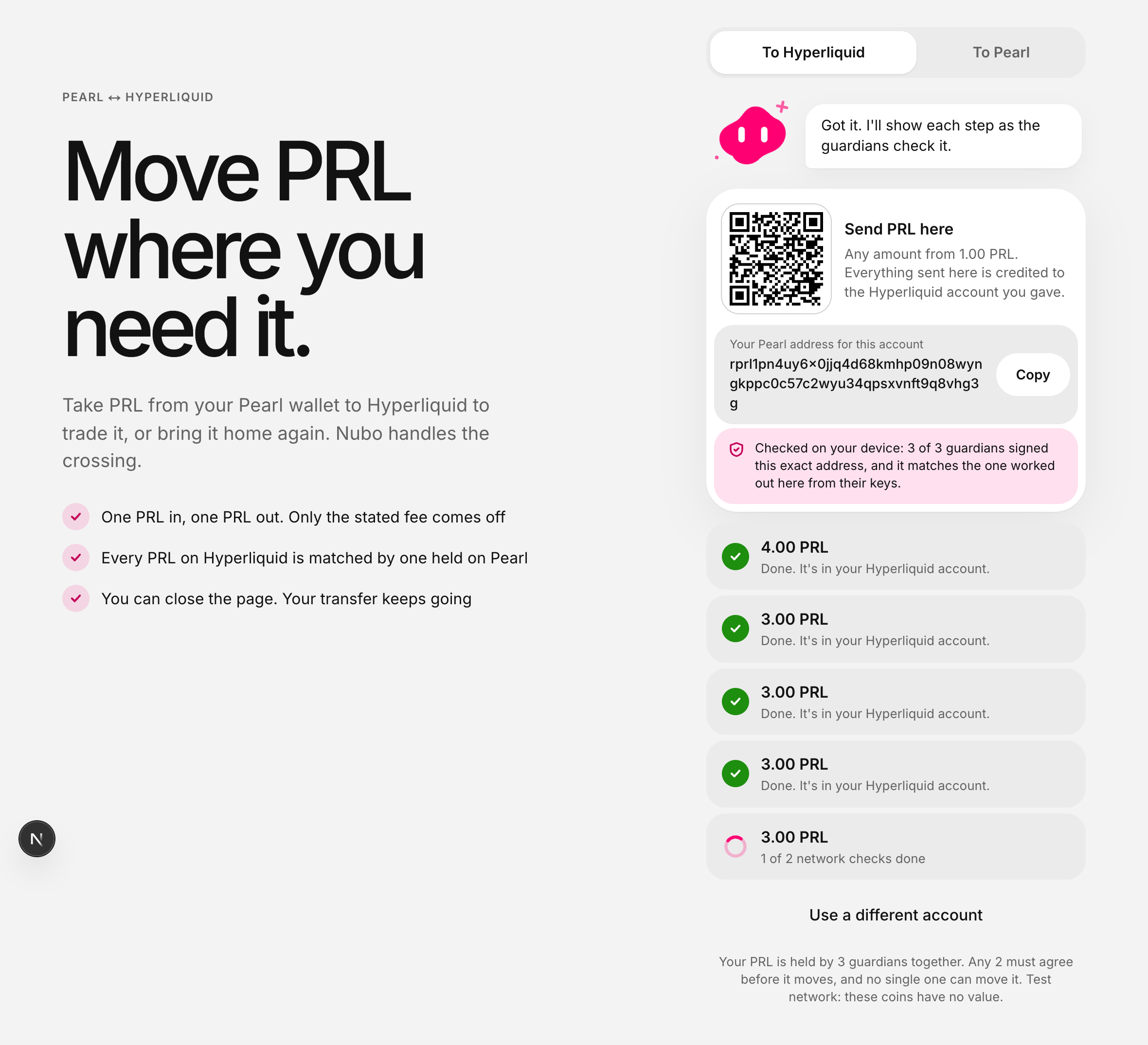
Once the payment is settled on Pearl, the same amount of PRL appears in your Hyperliquid account.

<figure><img src="https://215240236-files.gitbook.io/~/files/v0/b/gitbook-x-prod.appspot.com/o/spaces%2FwlmadLPdVKbSiMNzGovG%2Fuploads%2Fgit-blob-33ebb5a20bc2d05910819b3ee479d17e49c8e43d%2Fmove-done.png?alt=media" alt="The same payment, now reading: done, it&#x27;s in your Hyperliquid account"><figcaption><p>Nothing to confirm and nothing to claim.</p></figcaption></figure>
{% endstep %}
{% endstepper %}

## To Pearl

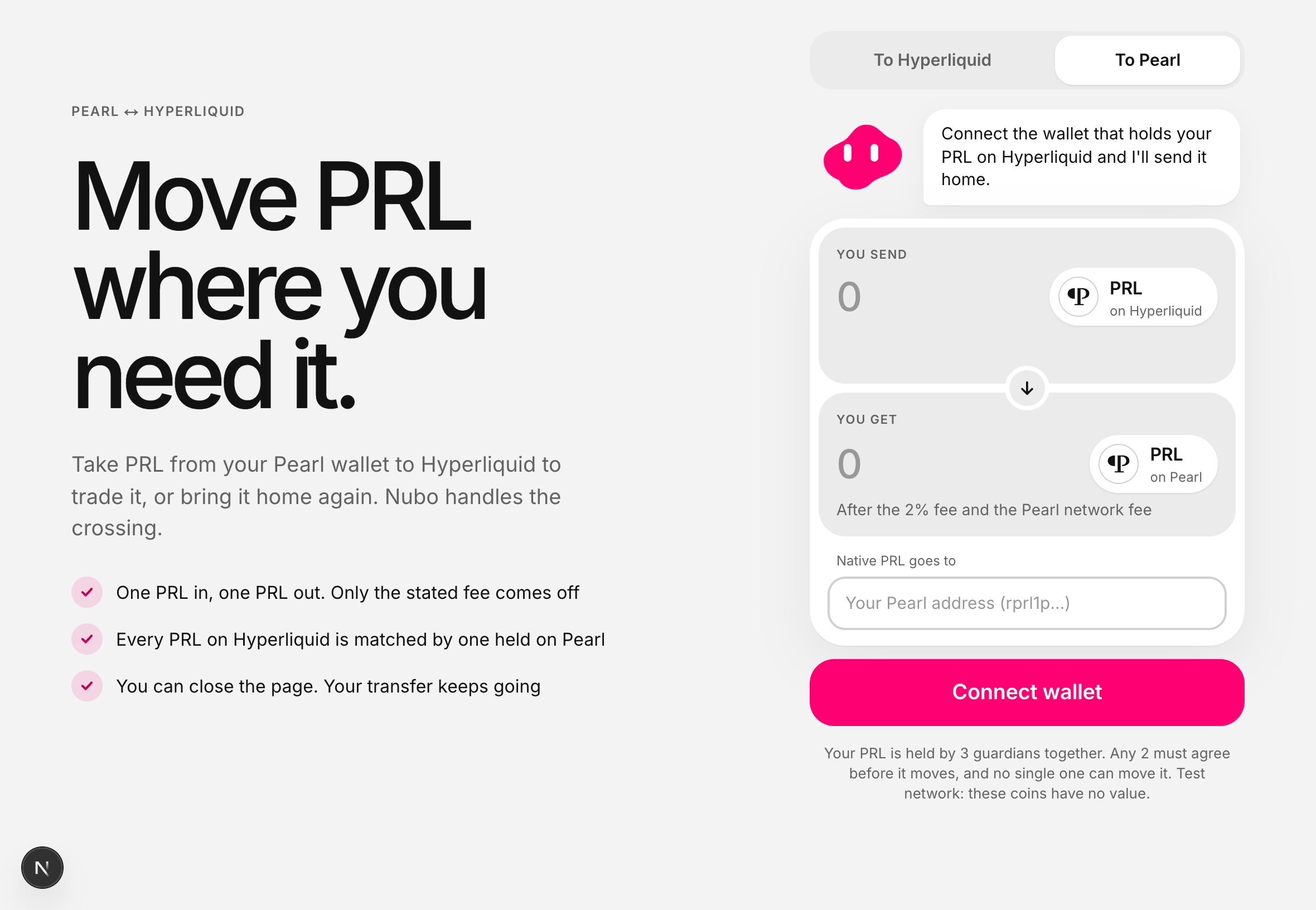
<figure><img src="https://215240236-files.gitbook.io/~/files/v0/b/gitbook-x-prod.appspot.com/o/spaces%2FwlmadLPdVKbSiMNzGovG%2Fuploads%2Fgit-blob-4d1ca07cf42bebdc03748e72334a50949f588bb4%2Fmove-back.png?alt=media" alt="The To Pearl tab: an amount to send, what you get after the fee, and a field for your Pearl address"><figcaption><p>Your wallet asks twice: once for the address, once to send.</p></figcaption></figure>

{% stepper %}
{% step %}

#### Enter the amount and your Pearl address

**You get** shows what arrives after the fee and the Pearl network's own charge.
{% endstep %}

{% step %}

#### Sign where it goes

Your wallet asks first for a signature that says where this transfer should go. It covers that one transfer and no other, so nobody can redirect it, including us. Read the address in your wallet's own prompt.
{% endstep %}

{% step %}

#### Send

Your wallet asks a second time, to send the PRL. Once enough guardians agree, they pay you natively and the screen shows the Pearl transaction that did it.
{% endstep %}
{% endstepper %}

### Amounts that cannot be paid out

PRL sent to the guardians below the smallest amount, above the largest, or too small to cover the fee is **sent back to the account it came from**, all of it. You do not need to do anything, and the screen says why it is going back.


---

# Agent Instructions
This documentation is published with GitBook. GitBook is the documentation platform designed so that both humans and AI agents can read, navigate, and reason over technical content effectively. Learn more at gitbook.com.

## Querying This Documentation
If you need additional information that is not directly available in this page, you can query the documentation dynamically by asking a question.

Perform an HTTP GET request on the current page URL with the `ask` query parameter, and the optional `goal` query parameter:

```
GET https://docs.pearlswap.ai/use-it/moving-prl.md?ask=<question>&goal=<endgoal>
```

`ask` is the immediate question: it should be specific, self-contained, and written in natural language.
`goal` is optional and describes the broader end goal you are ultimately trying to accomplish on behalf of the user. GitBook uses it to tailor the answer towards what is most useful for that goal.

The response will contain a direct answer to the question and relevant excerpts and sources from the documentation.

Use this mechanism when the answer is not explicitly present in the current page, you need clarification or additional context, or you want to retrieve related documentation sections.